Sale!

Industrial Product Design-Starter Module
Original price was: ₹9,999.00.₹4,999.00Current price is: ₹4,999.00.
Description
Industrial Product Design-Starter Module.
Training Contents:
1. Introduction to the process of Industrial Product Design/Development.
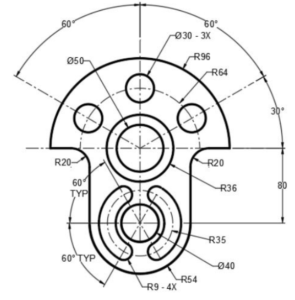
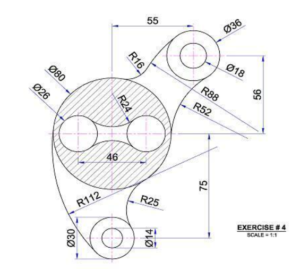
2. Working with creation of 2D drawings using Auto-CAD.
2.1. Interface & Foundations
- User Interface: Exploring the ribbon, command line, quick access toolbar, and status bar toggles (Ortho, Polar Tracking, Object Snaps).
- Setup & Navigation: Configuring drawing units (architectural, decimal), limits, scaling, and using zoom, pan, and ViewCube.
- File Management: Creating, opening, saving, and using custom drawing templates.
2.2 Basic 2D Drawing & Precision
- Primitive Shapes: Drawing lines, polylines, circles, arcs, rectangles, ellipses, and polygons.
- Precision Tools: Using coordinate systems (Cartesian, polar), Object Snaps (
OSNAP), and tracking to draw with exact dimensions.
2.3 Modifying & Editing Objects
- Core Edit Commands: Move, copy, rotate, mirror, scale, and stretch.
- Advanced Edits: Trim, extend, fillet, chamfer, offset, array (rectangular, polar, path), join, and explode.
- Selection Methods: Window, crossing, lasso, and filtering selection sets.
2.4 Organization & Properties
- Layers: Creating, naming, locking, freezing, and assigning colors, linetypes, and lineweights to manage complex drawings.
- Object Properties: Inspecting and modifying properties via the Properties palette.
2.5 Annotation & Documentation
- Text: Creating and formatting single-line and multi-line text (
MT).
- Dimensioning: Linear, aligned, angular, radius, diameter, and leader dimensions; managing dimension styles.
- Hatching & Gradients: Applying and editing cross-hatching to section views.
2.6 Blocks, Symbols & References
- Block Creation: Making, saving, and inserting reusable blocks (
B,I).
- Dynamic Blocks: Adding parameters and stretch/visibility actions to blocks.
- External References (Xrefs): Attaching and managing external drawings and image underlays.
2.7 Layouts, Printing & Output
- Paper Space vs. Model Space: Setting up viewports, scale factors, and title blocks in layouts.
- Plotting & Publishing: Configuring plot styles, paper sizes, and exporting to PDF.